
Know where to focus your next maths session.
Big Maths Beat That! finds each pupil’s starting points, supports focused practice between visits and shows you the skills that need another look. You bring the explanation; the app helps you choose where to begin.
Coming soon to iPhone and Android. Register now, ready for release.
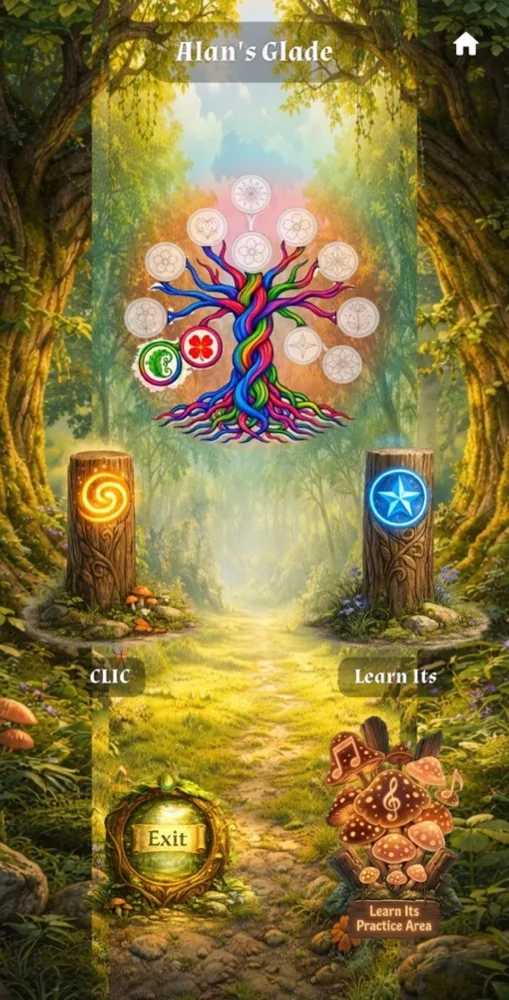
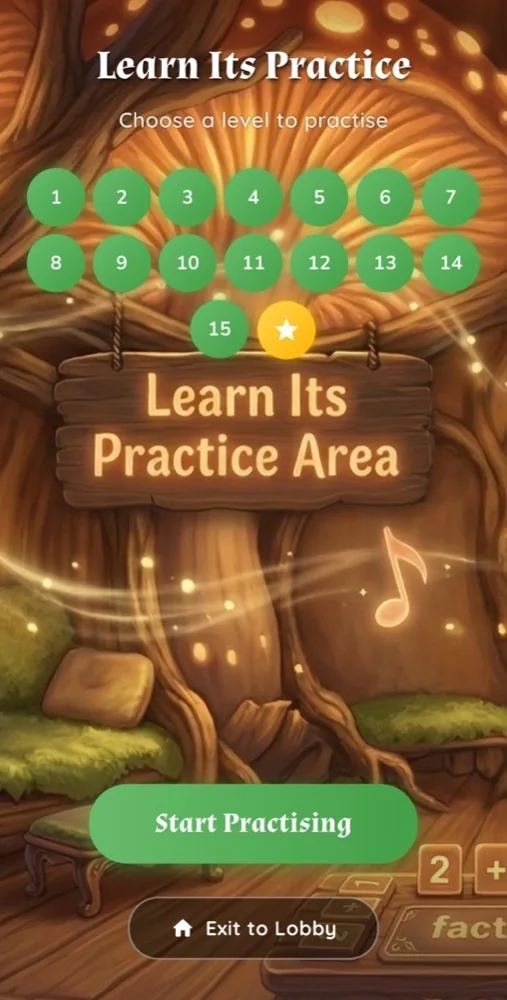
Inside the app: a personal Glade and number-fact practice.
From starting point to your next session
The app diagnoses and consolidates. You teach, explain and choose the next small step together.
Begin with what each pupil knows
The Baseline explores number facts first, then broader CLIC maths. It finds two separate starting points, so practice begins from the pupil’s answers rather than an assumed school-year level. Children see no Baseline score or pass mark.
Keep the learning in use
CLIC and Learn Its challenges support regular practice. Learn Its Practice explores related number facts. Where available, Practice Cove offers focused Repeat, Revisit and Real Life practice when a skill needs another look.
Focus your time together
Open a pupil’s page to see starting points, current levels, recent activity, skills to revisit and helpful teaching notes. Review incorrect Baseline answers privately. Ask the pupil to show how they thought, then explain one manageable next step.
Your pupils, in one tutor account
Manage up to 20 pupils and use Reports for an overview of their progress.
Add a pupil you look after
Select Add Pupil in your tutor account. You can review their progress, cover them on your tutor plan and later share access with their family using a linking code.
If the family is taking over, a transfer code hands the pupil to them. Sharing access and transferring a pupil are separate choices.
Link a pupil who already uses the app
Ask the family for their linking code, then select Enter a code on your dashboard. You can see their pupil’s progress on the website.
The pupil’s Door stays on the family’s devices. Linking does not put that Door on your devices. Both pupils you add and pupils linked to you count towards your 20 places.
Use the insight before your next visit
Select My Pupils, then View. Review their saved activity and choose one skill to discuss. Reports gives you an overview across your pupils. Latest app activity appears once the device connects and shares its saved work.
You do not need a subscribing school. Your tutor account, the child’s practice in the app and the family link can support the work you already do together.
Big Maths Online and the cost for independent tutors
Big Maths Online is our whole-school platform for lesson planning, teaching resources, assessment and tracking. The published annual price shown for a typical primary school is £1,500 + VAT. It is built and priced for whole schools.
Big Maths Beat That! is the option for independent tutors: a way to give pupils practice between sessions and review their progress: the tutor plan is £120 per year including VAT for up to 20 pupils. It supports your teaching through diagnosis, consolidation and adult insight. Big Maths Online’s planning and teaching-resource platform requires its separate subscription.
See published school and app prices · Explore the Beat That! tutor plan
One annual plan. Up to 20 pupils.
Includes pupil progress reports, activity details and helpful teaching notes, with practice between teaching visits. A paid plan unlocks new CLIC levels as pupils master each step.
£120 / year
Includes VAT • For up to 20 pupils
The tutor plan is billed annually. Set up your account at bigmaths.website and review your plan before subscribing.
Create a tutor accountCompare family and tutor plans
Coming soon to iPhone and Android.
Questions tutors ask
Does the app teach my pupils for me?
The app identifies starting points, consolidates skills through practice and communicates useful insight. You provide the teaching and explanation. Use its clues alongside your own knowledge of the pupil.
Can I use it with children from different schools?
Yes. Families and tutors can use the app independently of a school subscription. Each pupil has their own starting points and progress.
Can I link a family pupil and use their Door on my device?
Linking gives you website visibility of the pupil’s progress. Their Door stays on the family’s devices. Pupils you create and pupils linked to you both count towards your 20 places.
What happens when I create an account?
Register on bigmaths.website, verify your email and review the plan details. Adult setup requires a payment card, with £0 charged to start. Free access does not become a paid plan automatically. The tutor subscription is £120 per year including VAT when you choose it.
Is this Big Maths Online or Big Maths at Home?
No. Big Maths Beat That! is the separate app for families and tutors. Big Maths Online is the school teaching, planning and tracking platform. Big Maths at Home is the separate family website.
Bring a clearer starting point to your next session
Explore the app, or set up your tutor account ready for release.